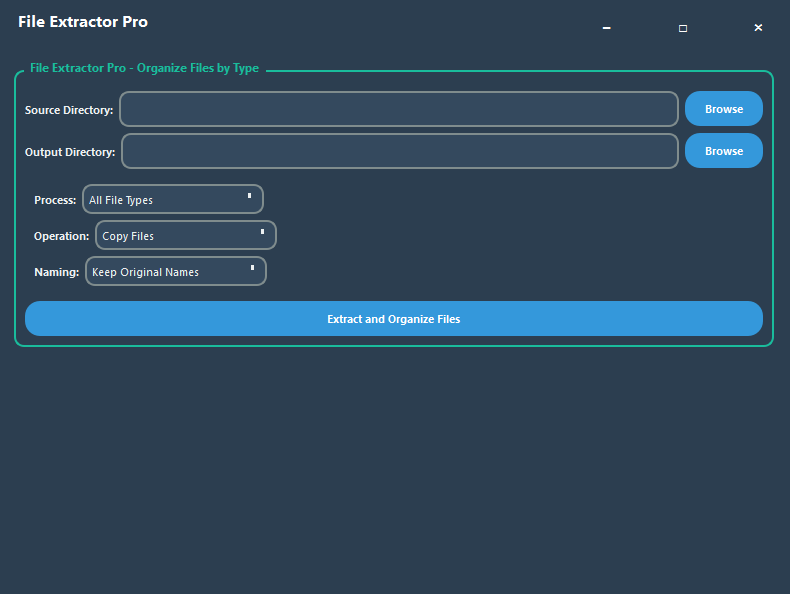
Extract by File Type
Choose any folder to copy or move its contents into an output folder sorted by file type.
Find duplicate files, review what is taking space, and clean your Windows PC with a faster, safer workflow.
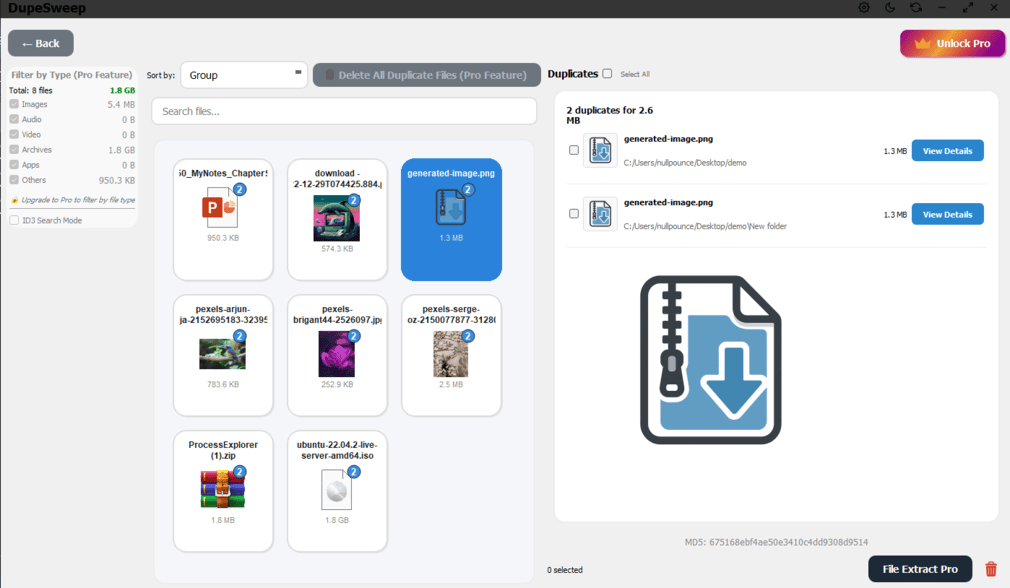
Everything you need to keep your Windows PC clean and organized
Choose any folder to copy or move its contents into an output folder sorted by file type.
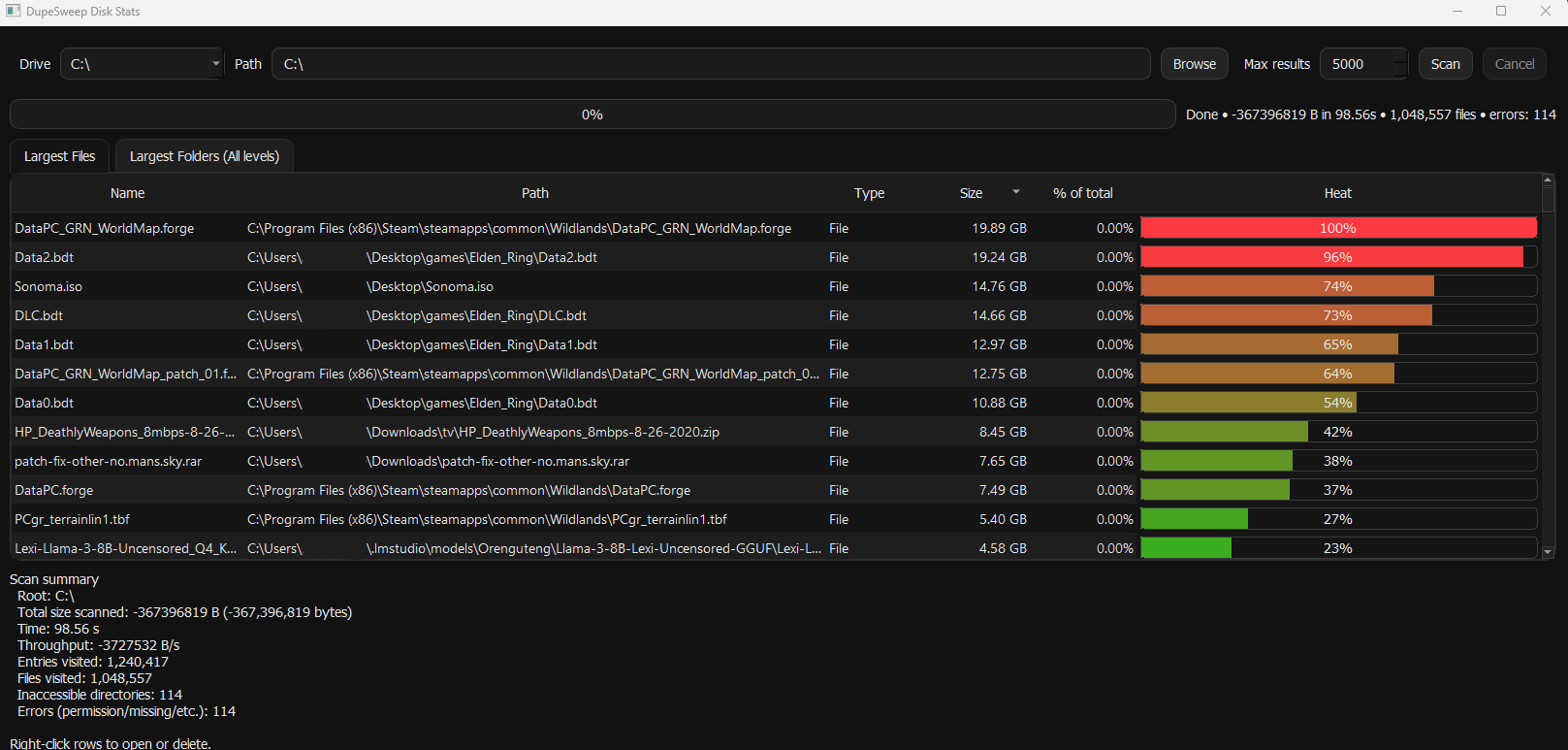
Fast scanner showing your large folders and files so you can spot what is taking up space right away.
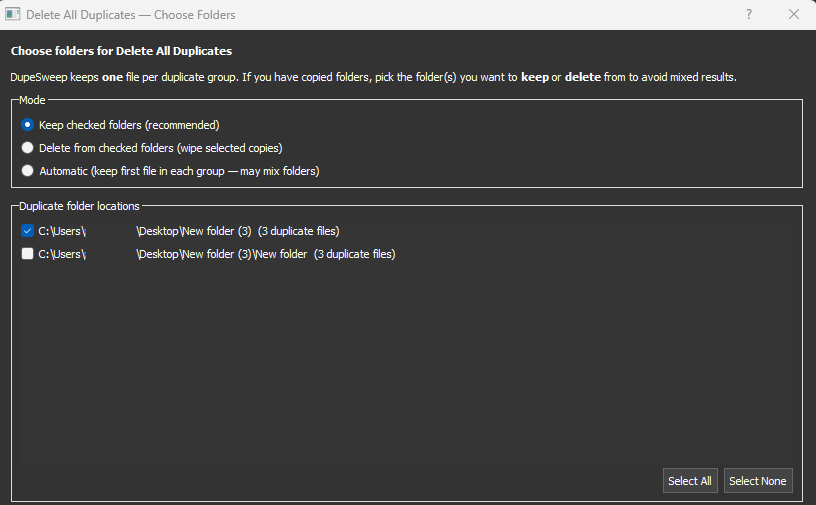
Choose which folder to keep or delete during bulk deletions.
Advanced 3-phase scanning method that is 3x faster than competitors like Auslogics. Supports multiple drives simultaneously for maximum efficiency.
Delete thousands of duplicate files at once with a single click. Save hours of manual work with intelligent batch processing in Pro.
Filter by file type before and after scanning so you can focus on images, videos, documents, music, and more.
Find duplicate songs through metadata analysis, even when the file names are different.
Automatic backup before deletion adds an extra layer of safety and makes restoring files easy.
Works with NAS devices, external drives, and other mounted storage for broader duplicate detection.
MD5, SHA-256, and XXH64 hashing help deliver accurate duplicate detection with zero false positives.
Intuitive interface designed for Windows 11 efficiency
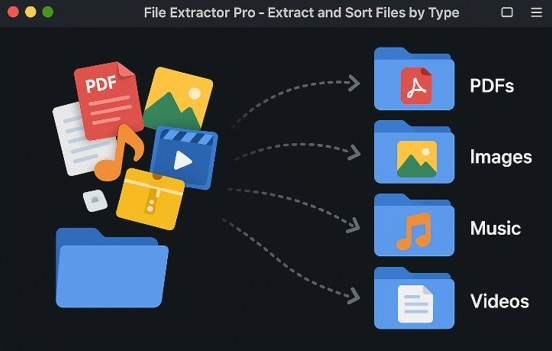
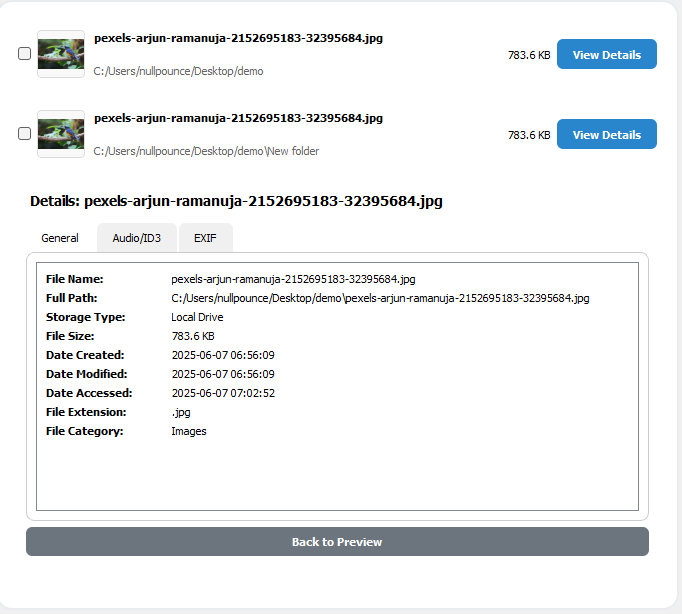
Watch the file sorting workflow, then open the interactive Pro web demo directly from this page.
See how File Type Sorter organizes mixed files by extension before duplicate cleanup.
Use the demo here, or open it in a full tab.
Learn how to find large folders, clean duplicate photos, sort recovered files, clean up Mac folders, and compare duplicate finder features.
Use a fast WinDirStat-style disk view to spot huge folders, old downloads, and forgotten backups.
🖼️ PhotosPreview image duplicates, keep the right folder, and delete safely without cloud uploads.
🧰 RecoverySort recovered files by type, export results, then run duplicate cleanup afterwards.
🍎 macOSA clean workflow for Mac downloads, photo exports, ZIP archives, and external drives.
✅ ComparisonCompare bulk delete, Rescue Center, file type sorting, disk stats, NAS support, export results, privacy, and lifetime pricing.
Start with our free version, upgrade for professional features
Perfect for basic duplicate file cleanup on Windows

Complete duplicate file management solution for professionals
Everything you need to know about DupeSweep
DupeSweep uses advanced 3-phase technology: Phase 1 quickly compares file sizes to eliminate obvious non-duplicates, Phase 2 performs hash verification using MD5, SHA-256, or XXH64 algorithms, and Phase 3 conducts byte-by-byte analysis for 100% accurate detection. This method is 3x faster than traditional duplicate finders.
Absolutely! DupeSweep Pro includes a Rescue Center that automatically backs up deleted files before removal. You can restore any file to its original location with one click. The free version safely moves files to the recycle bin, allowing easy recovery if needed.
Yes! The Pro version includes ID3 search mode that analyzes music file metadata (artist, title, album, duration) to find duplicate songs even when they have different filenames. This is perfect for cleaning up music libraries with renamed files.
Yes, DupeSweep is fully optimized for Windows 11 and also supports Windows 10 (64-bit). It's available through the Microsoft Store and integrates seamlessly with Windows 11's modern interface and file system.
Make sure you have chosen a drive or a folder to scan, check your settings. If no scan results are shown then no duplicate files have been found..
DupeSweep's proprietary 3-phase algorithm eliminates unnecessary comparisons early in the process. Unlike tools like Auslogics that scan every file completely, DupeSweep intelligently filters candidates, supports multi-drive scanning, and uses optimized hash algorithms for maximum speed.
Yes, DupeSweep supports network attached storage (NAS), external USB drives, and any mounted drives. You can scan multiple locations simultaneously, making it perfect for comprehensive duplicate cleanup across all your storage devices.
DupeSweep was created to solve the growing problem of duplicate files cluttering Windows computers and wasting valuable storage space. Using our proprietary 3-phase scanning technology, DupeSweep identifies duplicates with lightning speed and 100% accuracy, offering scanning performance that significantly outpaces popular tools like Auslogics Duplicate File Finder.
Our File Extract Pro utility goes beyond simple duplicate detection, providing a comprehensive solution for data recovery professionals and power users who need to organize thousands of files by type. Whether you're a home user looking to free up space or an IT professional managing enterprise storage, DupeSweep provides the advanced features you need.
Why choose DupeSweep over competitors? Our advanced algorithm, Windows 11 optimization, and unique combination of duplicate detection with file organization tools make it the most comprehensive solution available. Plus, our commitment to privacy means all processing happens locally on your computer - no cloud uploads required.
Need help with duplicate file cleanup? We're here to assist.
Within 24 hours
Monday-Friday, business hoursWindows 11 or Windows 10, 64-bit
1GB RAM recommended, 35MB storage space